Seamless Paytm Merchant UPI Gateway for Automated Smart Payments
Take full control of your online payments with PaySmart, a high-performance, secure, and fully automated Paytm Merchant UPI Payment Gateway PHP script. Designed for developers, e-commerce store owners, and digital entrepreneurs, this script allows you to accept UPI payments directly into your bank account with 0% transaction fees using the official Paytm Merchant API. Say goodbye to expensive third-party aggregators and enjoy instant settlements.
Core Features
- Direct-to-Bank Settlements: Accept payments via UPI and get settled directly into your linked bank account instantly.
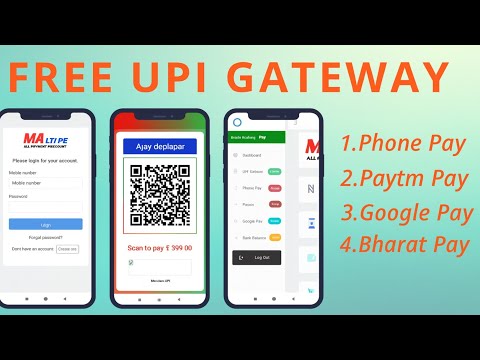
- Dynamic QR Code Generation: Automatically generates custom, transaction-specific UPI QR codes for seamless mobile scanning.
- Instant Webhook Callbacks: Real-time payment status verification and instant order processing triggers.
- Comprehensive Admin Dashboard: Track transactions, view daily/monthly analytics, manage API credentials, and monitor payment logs.
- Developer-Friendly REST API: Easily integrate this gateway into any third-party website, mobile app, or CMS (WordPress, Laravel, WHMCS, etc.).
- Secure Payload Encryption: Uses state-of-the-art SHA256/MD5 hashing to secure transaction data against tampering.
- Mobile-Responsive Checkout: Optimized payment screen ensuring a smooth checkout experience on all mobile devices and tablets.
- Refund Management: Process refunds directly from your admin panel with automated status tracking.
Technology Stack & Architecture
- Backend: PHP 7.4 - 8.2+ (Object-Oriented Architecture)
- Database: MySQL (PDO Driver for enhanced security against SQL injection)
- Frontend UI: Bootstrap 5, HTML5, CSS3, and Vanilla JavaScript
- API Integration: Paytm PG/UPI REST API via cURL
System Requirements & Easy Installation
Setting up PaySmart is quick and straightforward. Ensure your hosting environment meets the following requirements:
- PHP 7.4 or higher
- MySQL Database
- cURL PHP Extension enabled
- SSL Certificate (HTTPS is mandatory for webhook callbacks)
Installation Steps: 1. Upload the files to your server. 2. Import the provided SQL database file. 3. Update your database and Paytm Merchant API credentials in the configuration file. 4. Configure your webhook URL in your Paytm Merchant Dashboard. You are ready to accept payments!
What's Included in the Package
- 100% Decrypted, Open Source Code (No IonCube, fully customizable)
- Complete Database SQL file
- Detailed Step-by-Step Installation & Integration Guide
- Ready-to-use Integration SDK Examples (PHP, JS)
- Lifetime Free Updates & Dedicated Support